
Regain access to encrypted files you own
Forgot the password on a ZIP, RAR, 7z, PDF, or Office document? PwDone extracts the hash on your machine and runs professional recovery engines—without uploading the file.
For files you own or are authorised to access only. Windows and macOS (Apple Silicon).
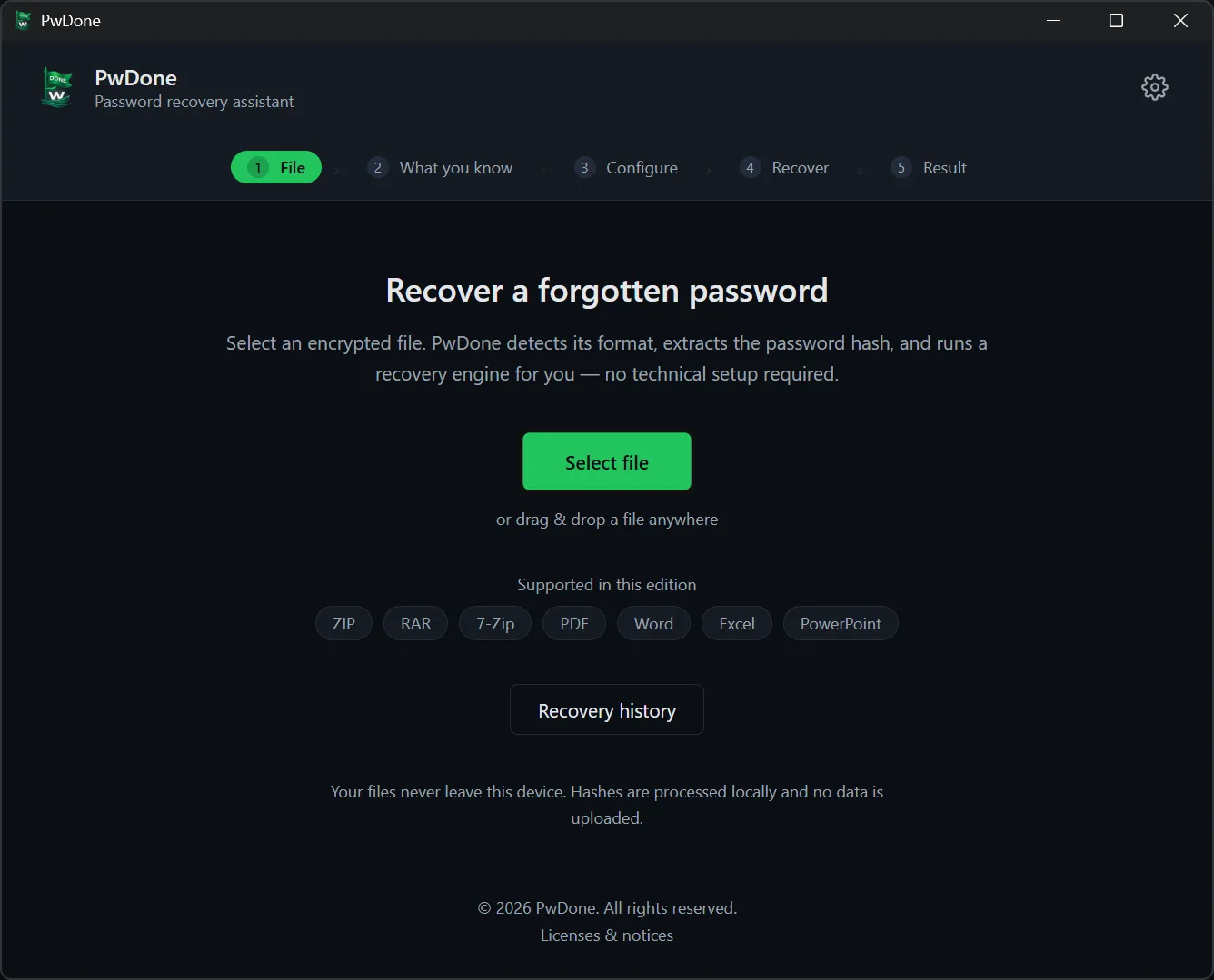
Supported formats
Dedicated pages describe each format. Installers are grouped into four editions—pick the one that matches your files.
.ppt, .pptx — Microsoft PowerPoint presentations, legacy and modern formats.
PowerPoint recoveryEditions for download
- PDF
PDF documents with user or owner passwords.
- Archives
Password-protected ZIP, RAR and 7-Zip archives.
- Office
Word, Excel and PowerPoint documents.
- All editions
Every supported format in one app.
Everything stays on your machine
PwDone is built for people who cannot send a confidential archive to a cloud cracker. The app bundles extractors and recovery engines; your job is to point it at a file and say what you remember about the password.
- No upload path
- Hash extraction and cracking run locally. Network use is limited to license validation and optional update checks—not your documents.
- Guided workflow
- You choose a file, describe what you know (common password, partial mask, or no clue), and start recovery. Hash modes and attack flags stay internal.
- GPU with CPU fallback
- Hashcat accelerates on supported GPUs; John the Ripper covers CPU fallback when needed. Both ship inside the installer.
- Recovery history
- Successful passwords are stored in a local history file on your device so the same hash can be answered instantly later. You can review and clear history in the app.
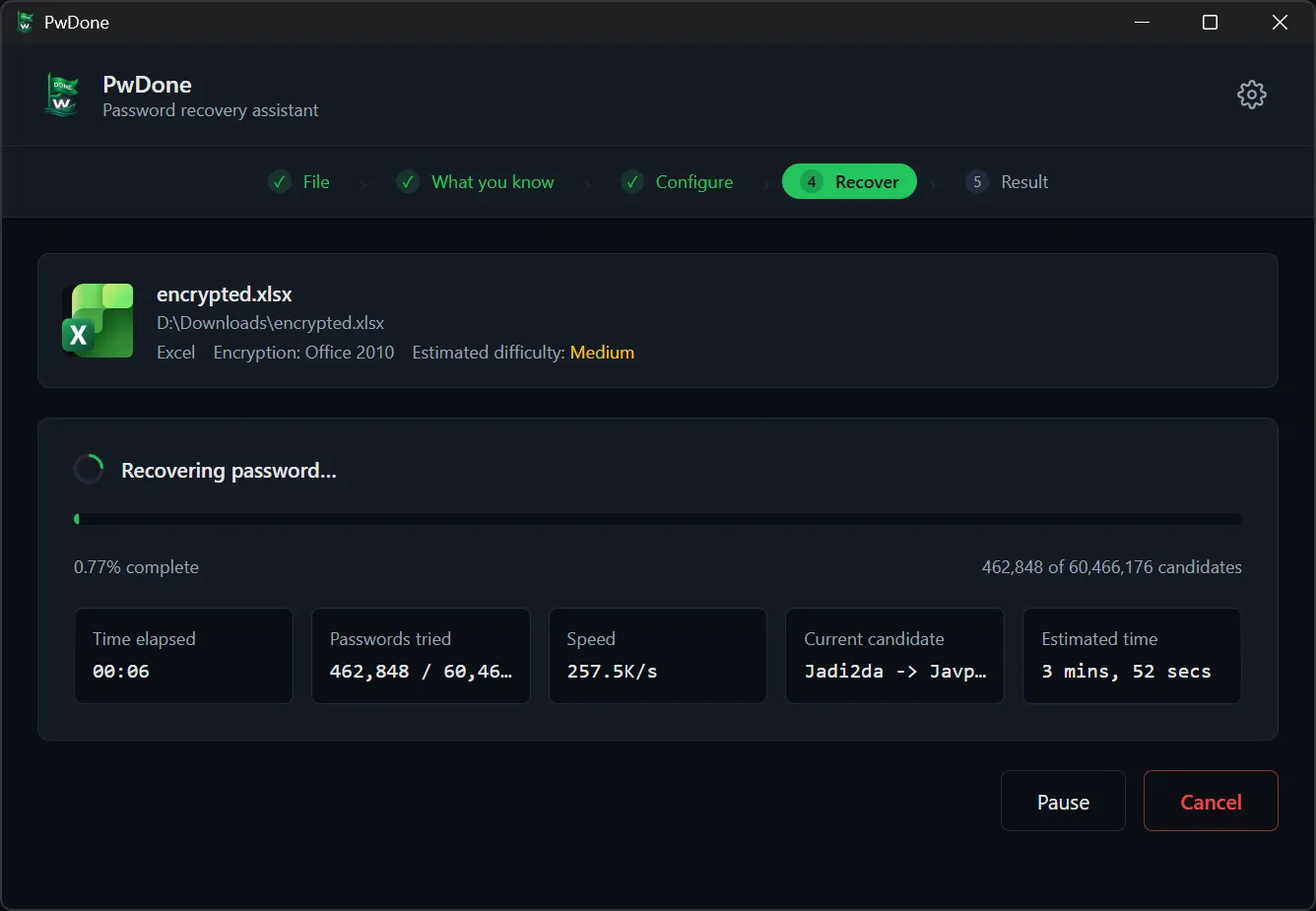
From encrypted file to password
Select the file, say what you remember, tune length and character set if needed, then let recovery run. Progress, speed, and candidates are shown live; you can pause and resume.
The full walkthrough includes five steps with screenshots—file pick, strategy, configuration, recovery, and copying the result.
Full five-step walkthroughPricing
Monthly, yearly, or lifetime license per edition. All plans include updates for at least one year from purchase. Pricing details and checkout →
Recover PDF user and owner passwords.
- Monthly$29.901 device
- Yearly$69.902 devices
- Lifetime$129.003 devices
Archives
Password-protected ZIP, RAR and 7-Zip.
- Monthly$39.901 device
- Yearly$89.902 devices
- Lifetime$169.003 devices
Office
Word, Excel and PowerPoint documents.
- Monthly$39.901 device
- Yearly$89.902 devices
- Lifetime$169.003 devices
All editions
Every supported format in one app.
- Monthly$49.901 device
- Yearly$109.902 devices
- Lifetime$199.003 devices
Frequently asked questions
Can PwDone recover any password?
No tool can guarantee recovery. PwDone runs the most effective strategies first—dictionary and rules, then partial masks and deeper search. Weak or reused passwords are often found quickly; long random passwords may not be recoverable in practical time.
Are my files or hashes uploaded?
Never. Analysis, hash extraction, and recovery all run on your computer. Nothing is sent to PwDone servers for processing. See the privacy policy for what the website and license checkout collect (separate from recovery).
Do I need an account to recover a file?
No. The desktop app works without signing in. After purchase, a license key arrives by email and is entered in the app.
Which editions and formats are supported?
PwDone is sold in PDF, Archives (ZIP, RAR, 7z), Office (Word, Excel, PowerPoint), and All editions. Each installer only accepts the formats for that edition.
How do subscriptions and lifetime licenses work?
Monthly and yearly plans renew until cancelled. Lifetime is a one-time purchase. Every plan includes at least one year of application updates from purchase.
Ready to try it on your file?
Download the edition that matches your formats, or read the refund policy before purchase.