
01Select your file
Choose an encrypted ZIP, RAR, 7z, PDF, Word, Excel or PowerPoint file. PwDone detects the format and extracts the recovery hash locally.
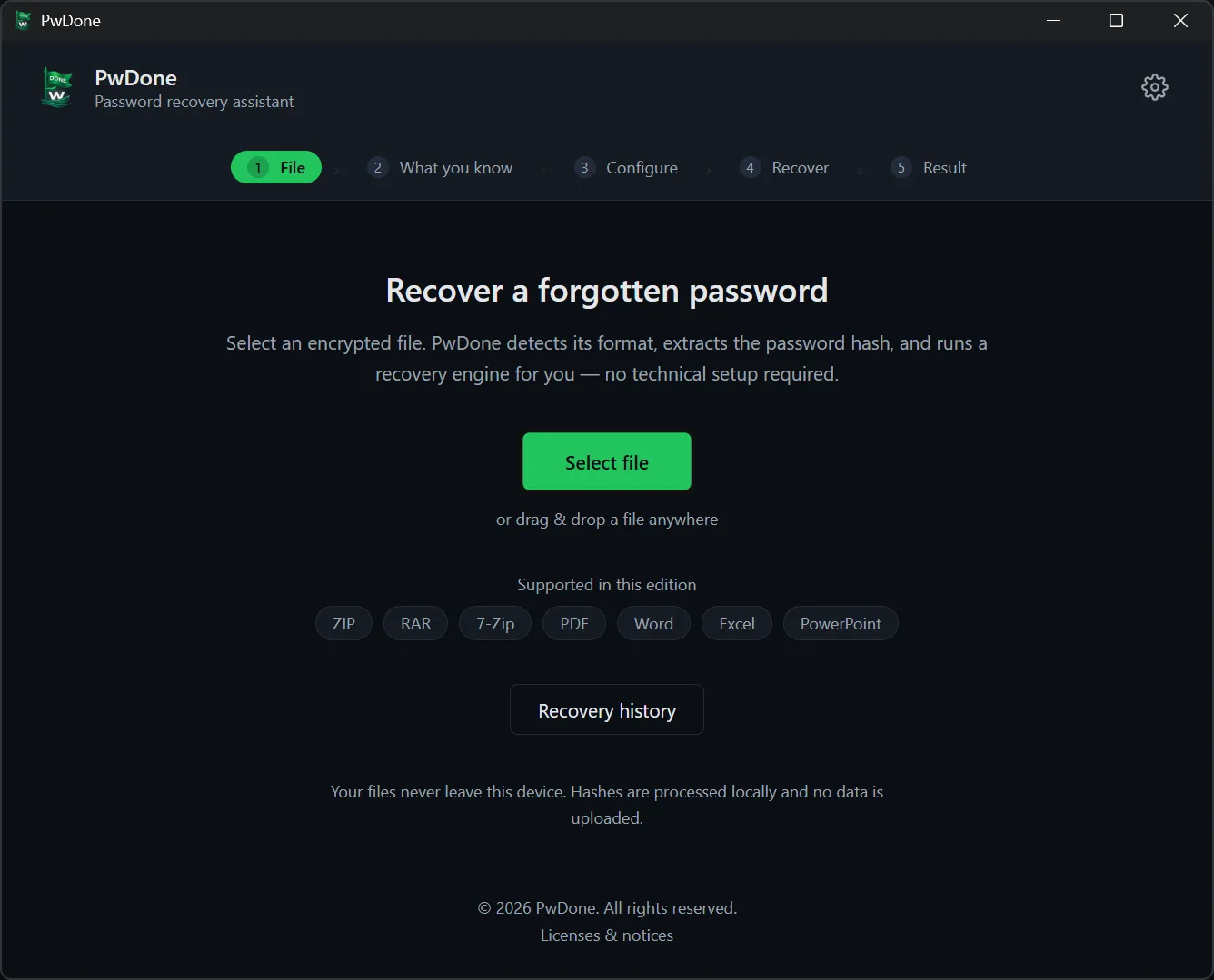
Five steps from an encrypted file to the recovered password. Everything runs locally — your files, hashes and recovered passwords never leave your device.
Choose an encrypted ZIP, RAR, 7z, PDF, Word, Excel or PowerPoint file. PwDone detects the format and extracts the recovery hash locally.
Say whether you remember part of the password, think it is simple and common, or have no idea at all. PwDone uses that to pick the fastest strategy.

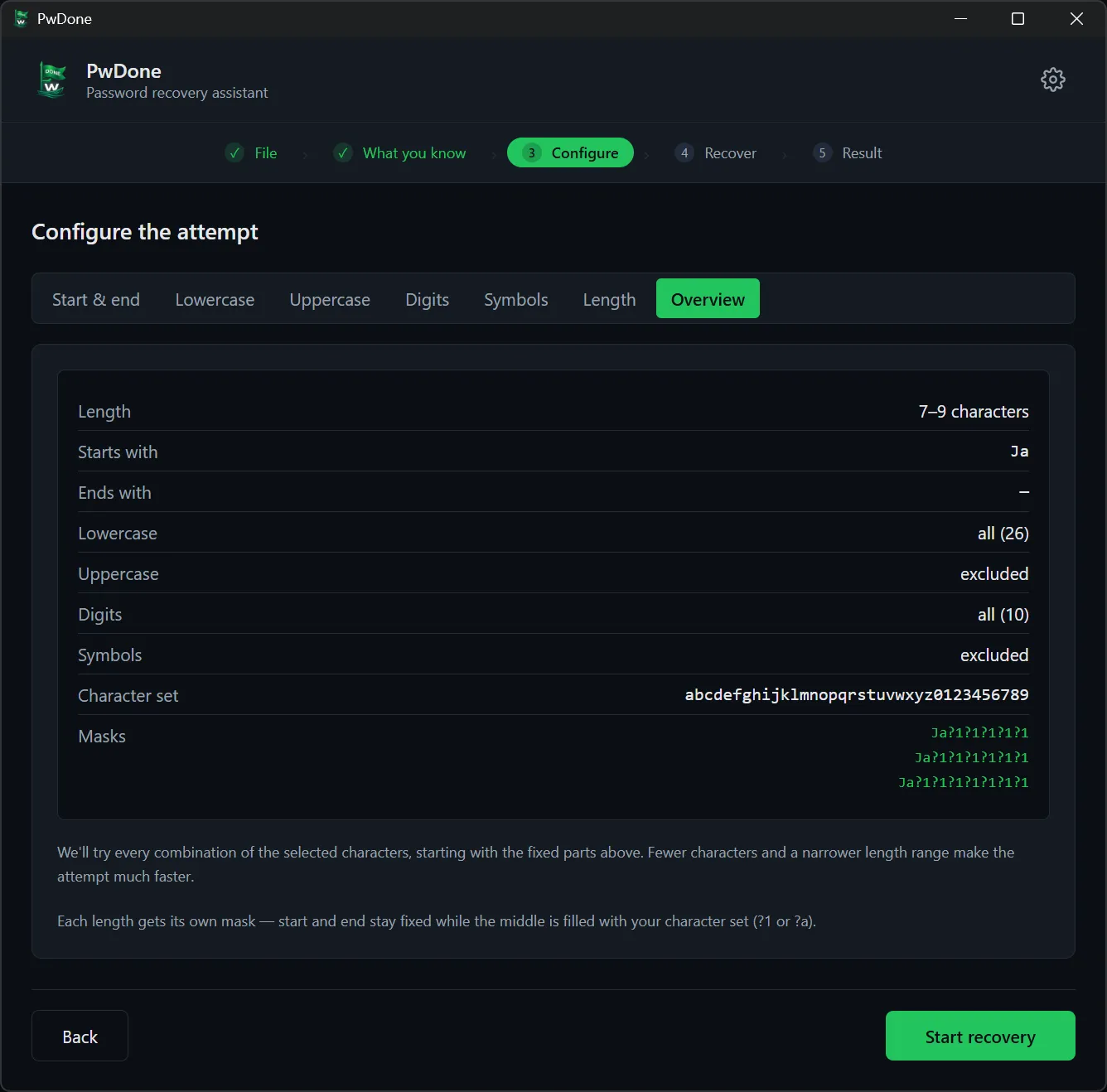
Adjust the length, the characters to try, and any fixed start or end you remember. The closer these are, the faster recovery runs.
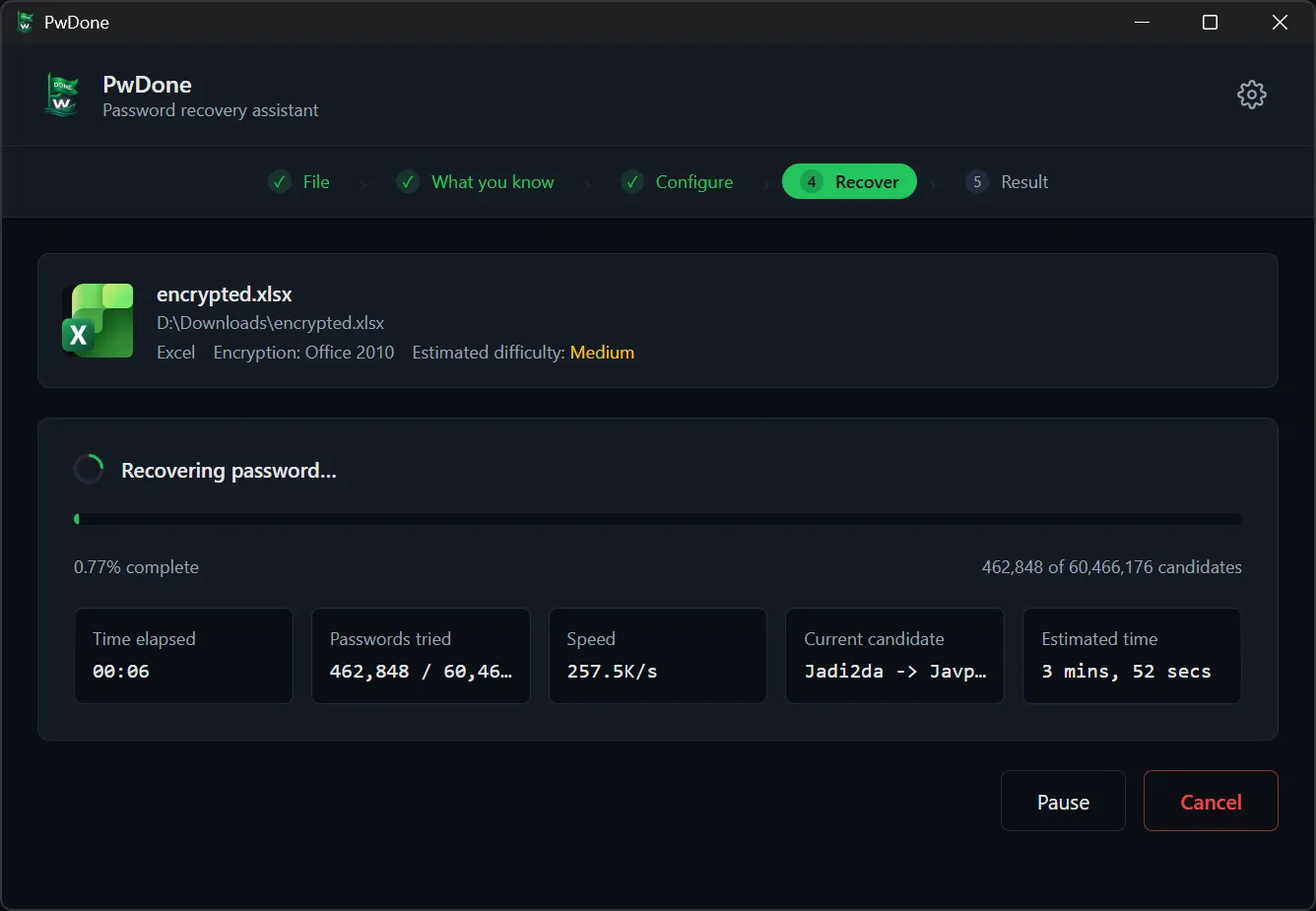
PwDone runs Hashcat on the GPU with a John the Ripper CPU fallback. Follow progress, speed and the current candidate; pause or resume at any time.
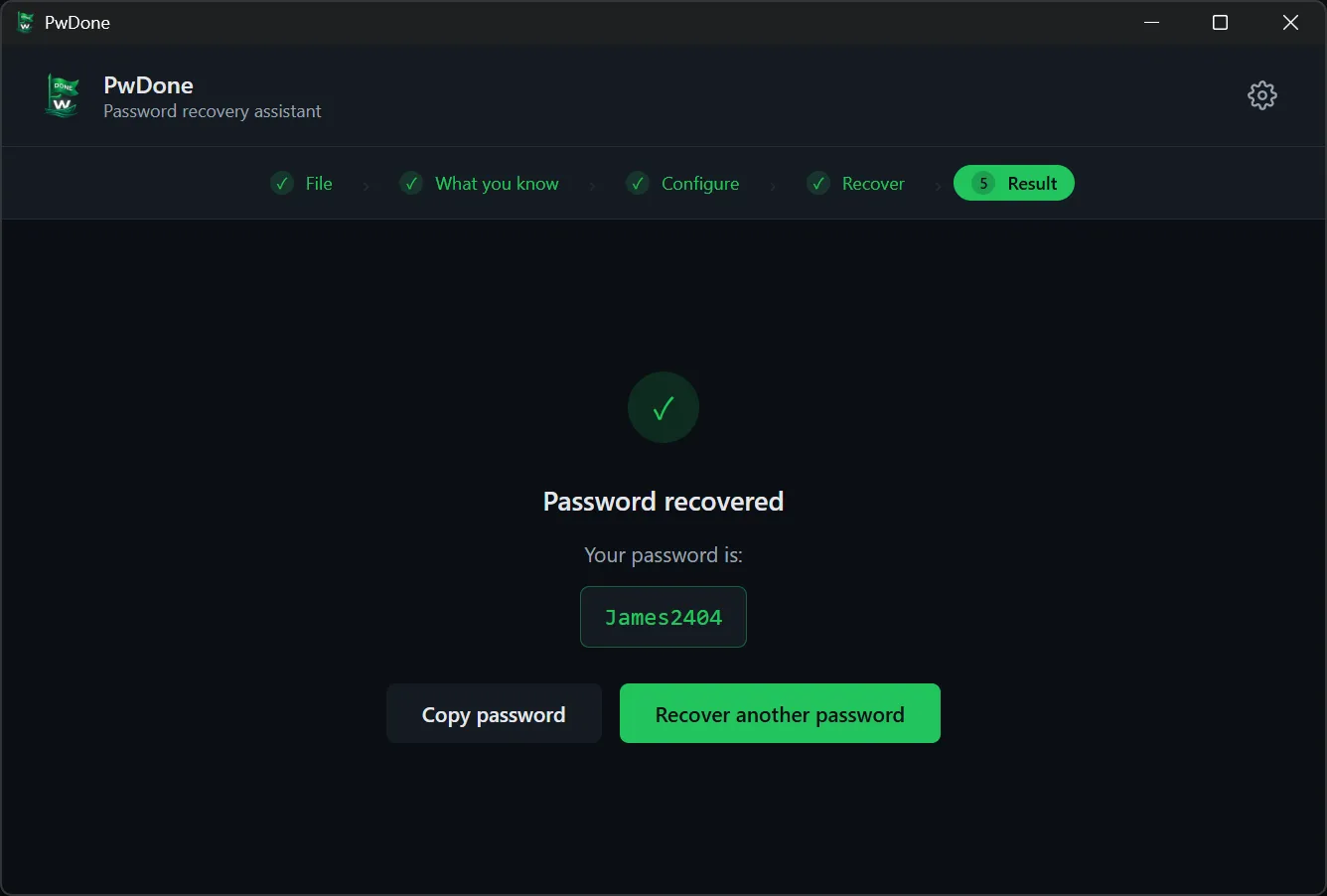
When the password is found, copy it and open your file. Recovered passwords are kept in a local history so repeat attempts are instant.
Intended only for files you own or are authorised to access.
Comparing options? See PwDone vs other tools.